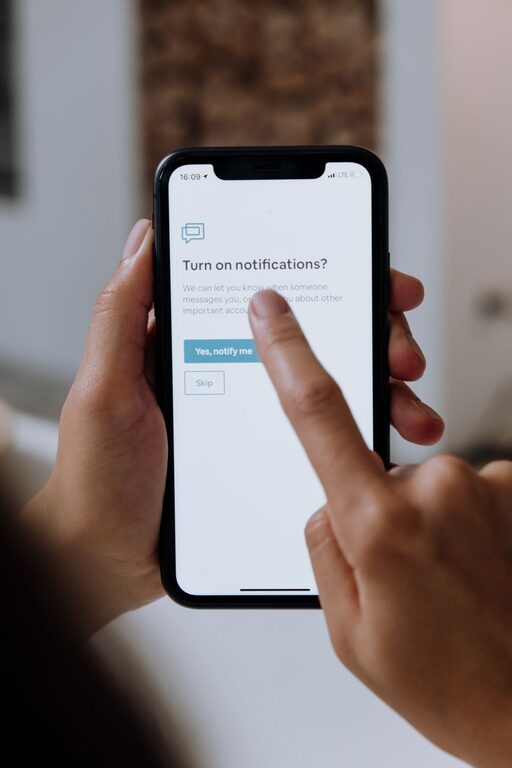
In our increasingly connected world, notifications from apps, emails, and social media are constant companions. While these alerts keep us informed, they can also become distractions that interrupt our focus and drain our energy. Setting boundaries with notifications is essential to regain control over your time, improve concentration, and foster a healthier relationship with technology. In this post, we’ll explore practical tips to help you manage notifications effectively without missing out on important updates.
Why Setting Boundaries with Notifications Matters
Before diving into tips, it’s helpful to understand why managing notifications is important. Notifications can:
– Fragment your attention, making it harder to complete tasks.
– Increase stress by creating a sense of urgency.
– Interfere with personal time and rest.
– Lead to habits of constant checking and reduced productivity.
By setting clear boundaries, you can reduce distractions, improve focus, and better balance your digital and real-world activities.
Tips for Managing and Setting Boundaries with Notifications
1. Audit Your Notifications
Start by reviewing which apps and services are sending you notifications. You may find many are unnecessary or could be adjusted.
– Go through device settings to see all notification permissions.
– Identify apps that rarely provide useful alerts.
– Disable or limit notifications for those apps.
This audit helps you focus only on alerts that truly matter.
2. Customize Notification Settings
Most apps and devices allow you to customize how and when notifications are delivered. Use these options to your advantage:
– Turn off sound or vibration for non-urgent apps.
– Set “Do Not Disturb” schedules during work hours or sleep.
– Prioritize notifications for essential contacts or apps.
Customizing alerts ensures you only get disturbed by the most important updates.
3. Use “Do Not Disturb” or Focus Modes
Modern phones and computers offer built-in modes designed to minimize interruptions.
– Enable “Do Not Disturb” during focused work blocks or meetings.
– Use “Focus” modes that allow calls or messages only from selected people.
– Schedule these modes automatically based on your daily routine.
These features help create intentional breaks from constant alerts.
4. Batch Check Notifications
Instead of reacting to every ping immediately, designate specific times to review notifications.
– For example, check email and messages every hour or two.
– Avoid keeping devices constantly within reach.
– Use this approach to maintain momentum in tasks without distraction.
Batch checking reduces the pressure to respond instantly and can improve productivity.
5. Turn Off Notifications on Less Critical Devices
If you use multiple devices, consider limiting notifications to just one primary device.
– For example, disable social media alerts on your work computer.
– Keep messaging notifications only on your phone.
– This reduces cross-device distractions and simplifies where you focus attention.
6. Communicate Your Boundaries to Others
Let colleagues, friends, and family know when you are limiting notifications.
– Set expectations about response times.
– Use status messages on chat apps to indicate periods of focus.
– This helps reduce pressure to respond immediately and supports your boundaries.
7. Review and Adjust Regularly
Notification needs may change over time, so revisit your settings periodically.
– Reflect on what works well and what doesn’t.
– Be willing to update preferences as priorities shift.
– Staying adaptable prevents notification overload from creeping back.
Additional Tools to Help Manage Notifications
– Notification management apps: These apps can provide more advanced filtering and scheduling.
– Email filters and rules: Automatically organize incoming messages to prioritize important ones.
– Pomodoro timers: Pair with notification management to create focused work sessions.
Final Thoughts
Setting boundaries with notifications is a simple yet powerful way to reclaim your attention and enhance wellbeing. With a few adjustments to your device settings and personal habits, you can reduce distractions, improve productivity, and enjoy a better balance between digital life and personal time. Take control of your notifications today and notice the positive impact on your daily routine!
About the Author